The biggest change in the latest release to the FEWS NET Data Explorer (FDE) is an updated navigation bar that gives a clear, consistent path to find the information you need.
Under the user profile page, you can now view your username and reset your password. This is particularly helpful for single sign-on users who want to set up API authentication using their FDE username and password.
We’ve also improved the behavior of links throughout the application to provide a smoother, more predictable experience.
Updated navigation bar
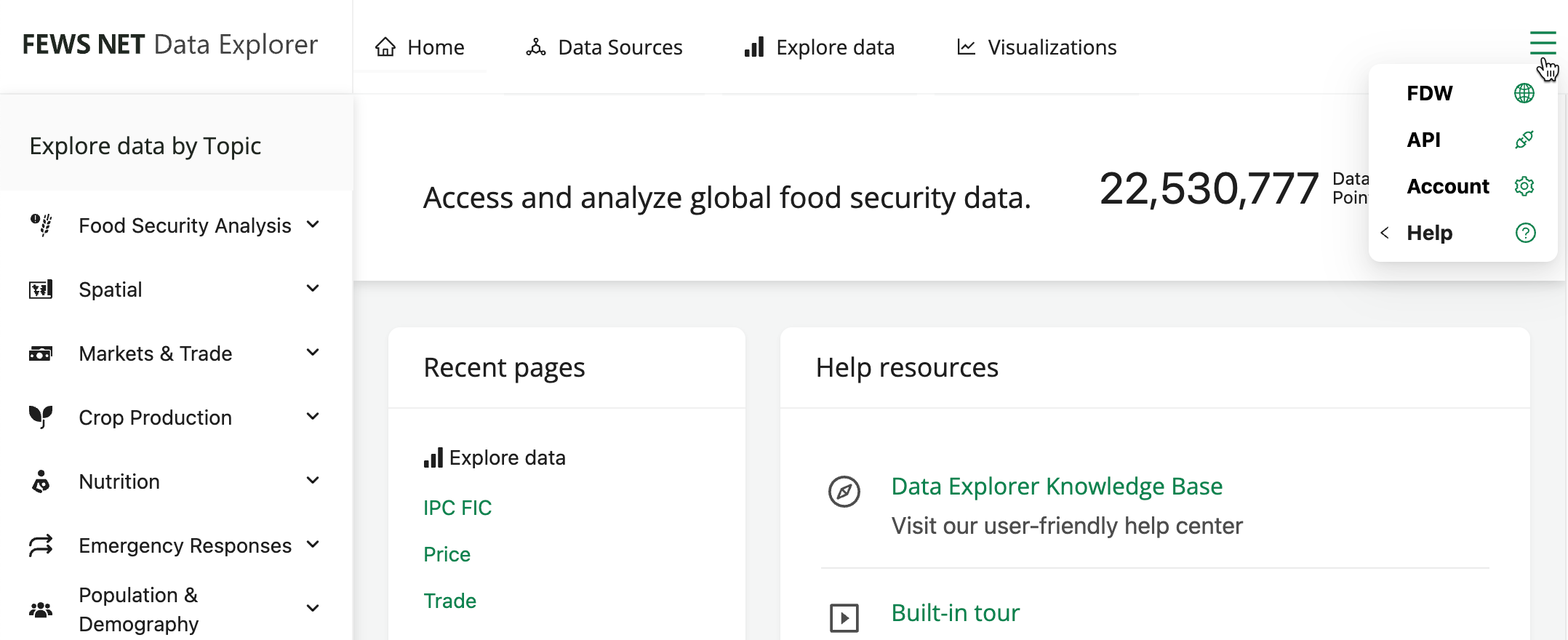
The updated navigation bar makes it easier to move through the application as well as access help resources.

You’ll see the following changes in the top navigation:
-
A new Home tab makes it easy to return to the home page at any time.
-
When you select Explore data, you’re now prompted to choose a topic from the sidebar.
-
The Help tab pulls together key support resources, providing quick access to the built-in tour, the FDE knowledge base, and the FEWS NET Helpdesk.
-
The Account tab brings you directly to your user profile details.
In addition, the right hand side navigation options will now reconfigure into a dropdown menu on smaller screens.
Improved account details
Within the User Profile page, you can now see your username and change your password, as well as log out of FDE.
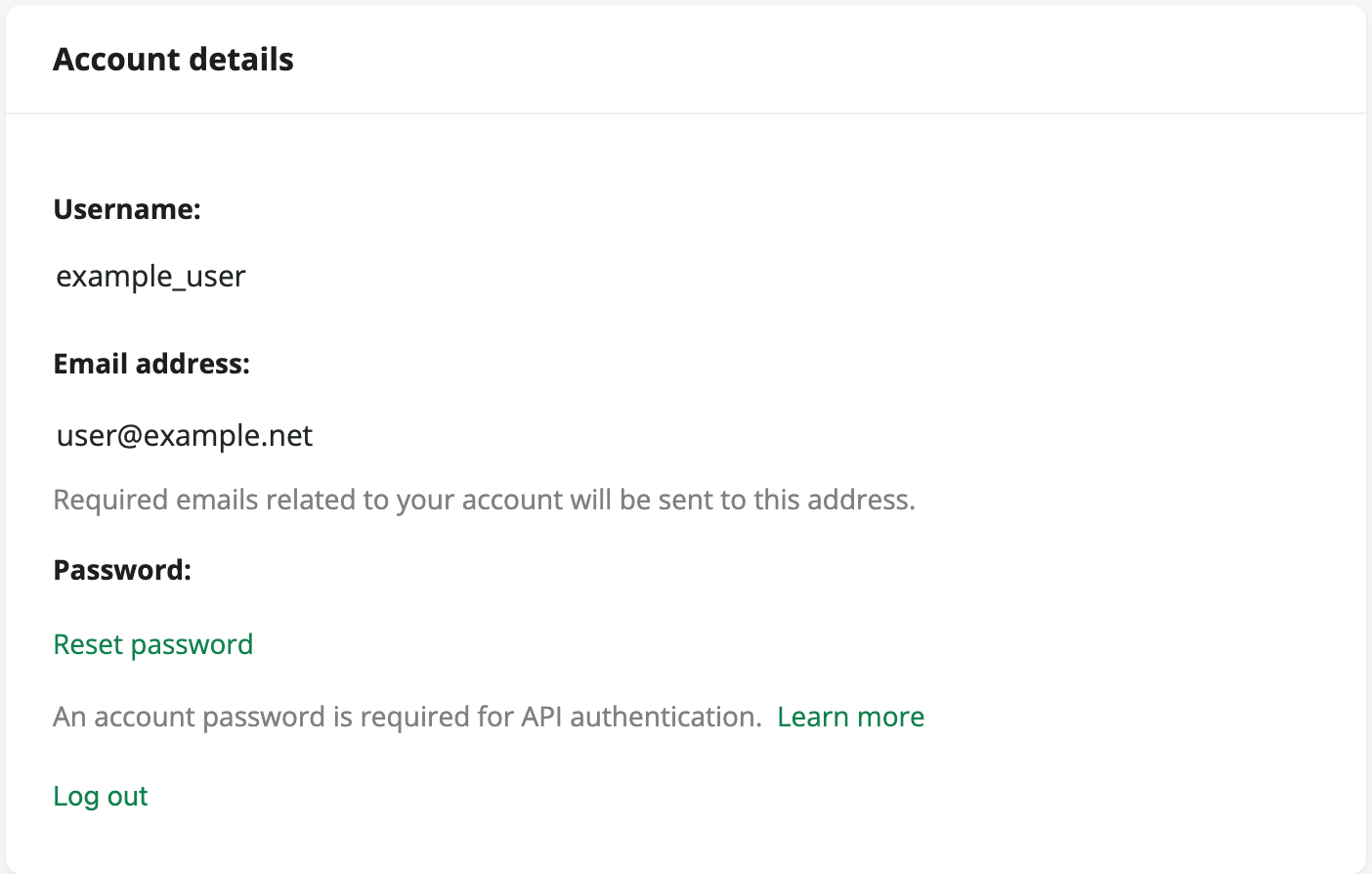
If you have only accessed FDE with single sign-on, you’ll see a Create password option that will direct you to set a password.
Your username and password can be used to authenticate requests to the FEWS NET API, including working with refreshable links in Excel. Review the API documentation for more details.
Consistent link behavior
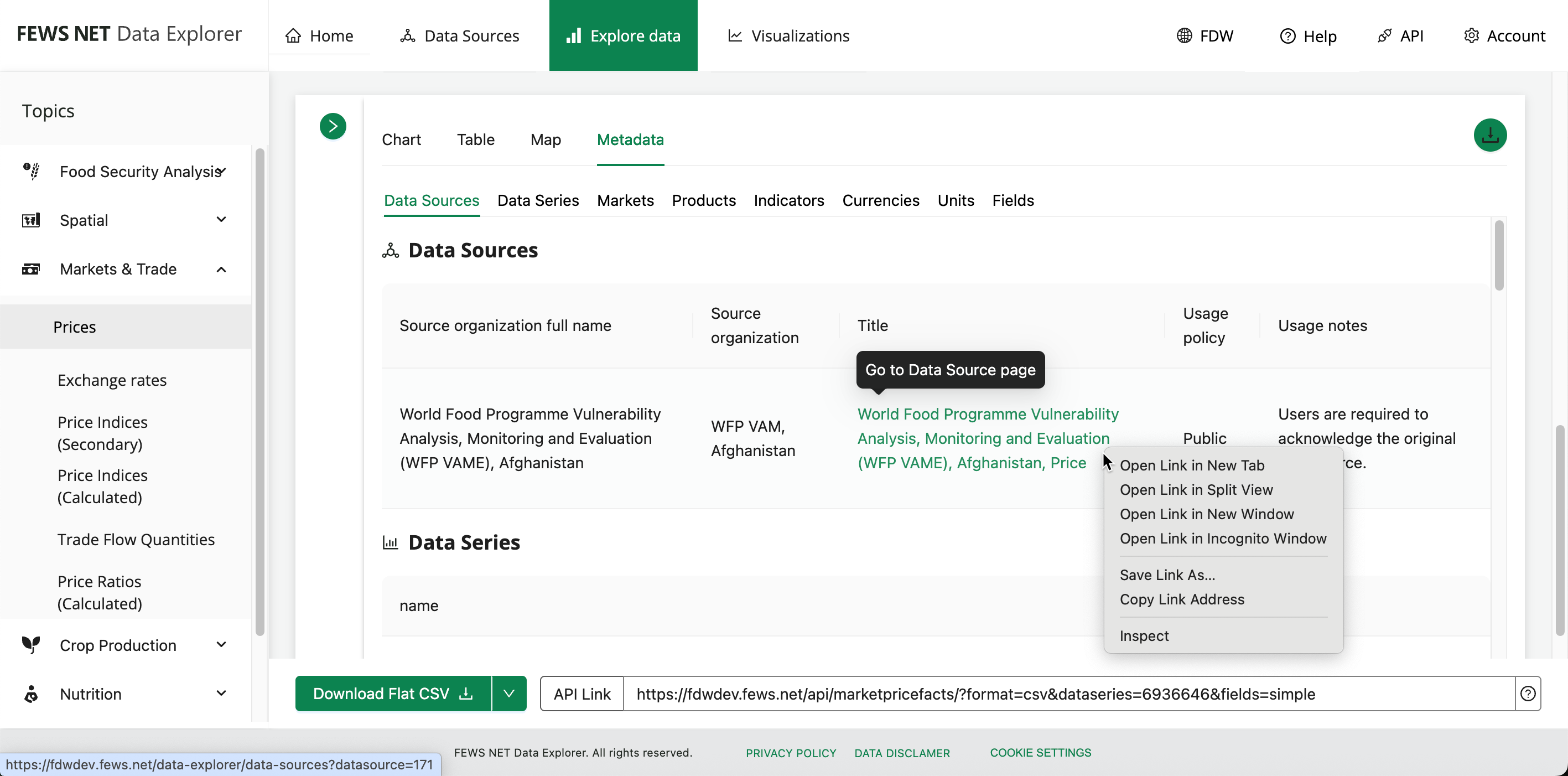
Links within FDE now open in your current browser tab by default to support accessibility and a smoother workflow. If you prefer to open a link in a new tab or window, right click or ctrl+click on the link to access these options.