
In the latest release to the FEWS NET Data Explorer (FDE), you’ll see a new video tour, a count of your selected filters, and updates to the columns included in the Data Point facts table for the Acute Food Insecurity Classifications and Acutely Food Insecure Population Estimates topic pages. Below, you’ll also find a how-to video that covers accessing metadata for your selected Data Series.
Video tour
We’ve updated our introductory tour of the FDE to a video format that shows you the basics of using the Data Sources, Explore data, and Visualization sections. Check out the video below (03:27, includes closed captions). You can also access the video at any time from the home page and under the Help menu.
Selected filter count
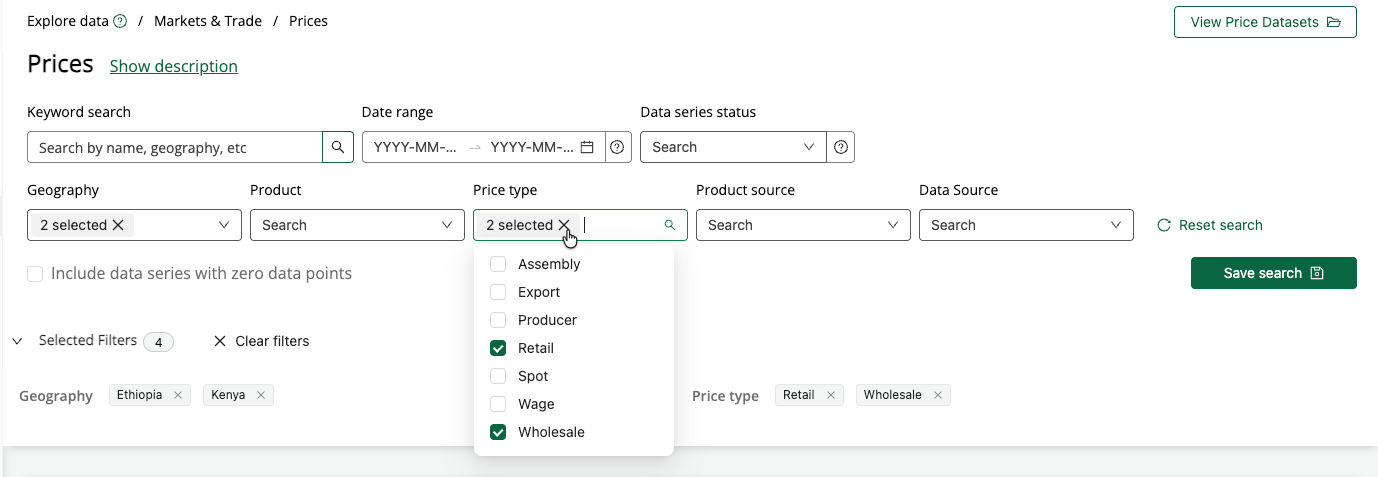
You’ll now see a count of the number of selected filters within the filter fields whenever you select more than one option. You can click the X next to the filter count to clear all your selections for that field. Together with the Selected Filters drawer, you can quickly review and adjust your filters.
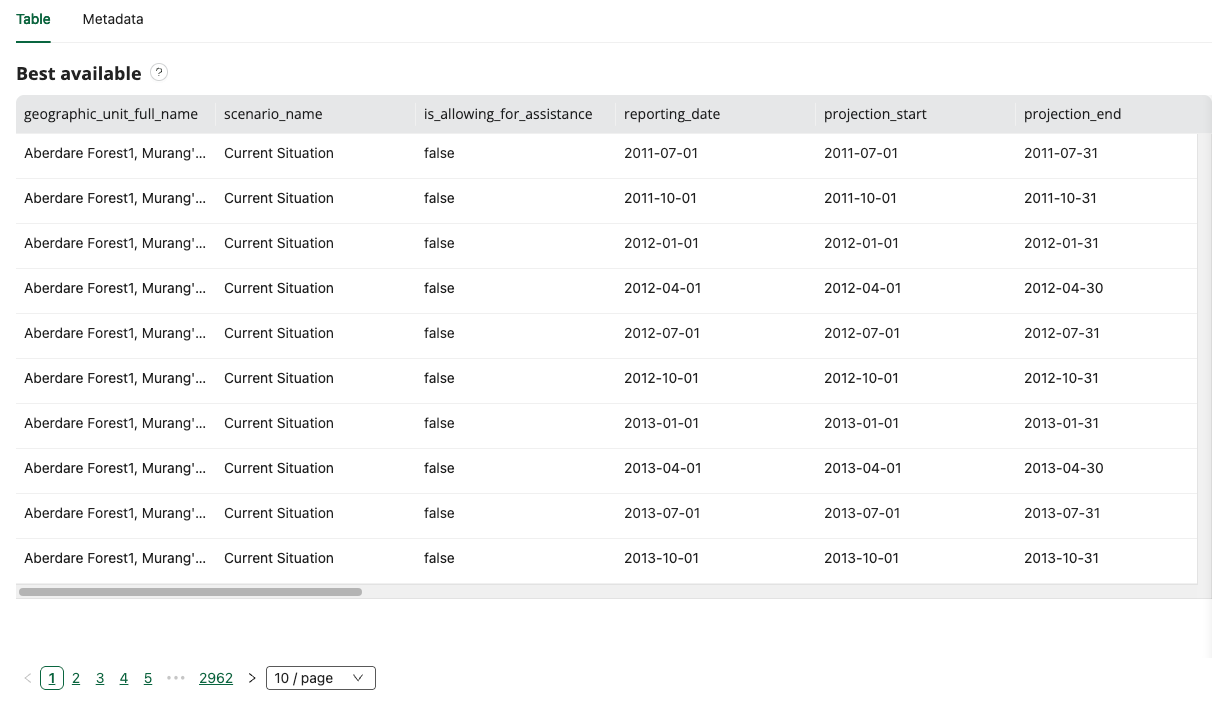
Updated column order
The columns displayed in the Data Point facts table of the Acute Food Insecurity Classifications and Acutely Food Insecure Population Estimates topic pages have been updated. It’s now easier to scan through the table for the most relevant information.
How to video: Exploring the metadata tab
Watch the video below to learn how to view metadata information, access details about Data Sources, and download metadata in JSON format (02:26, includes closed captions).
Want FDE updates sent straight to your inbox? Subscribe to the release blog here.