FEWS NET’s Data Platform uses fine-grained permissions to give different groups of users the right level of access to data.
Within the FEWS NET Data Explorer, permissions determine the topics and data you can access. Permissions also control access to data through the API and data displayed on Visualizations.
This page describes the FEWS NET Data Platform’s Usage Policies and how permissions affect accessing and sharing data.
Data Usage Policies
The Data Usage Policy is typically set at the source_document level, though in some cases it may be set for individual Data Series.
Source Documents organize distinct sets of regularly collected data from a given Source Organization. A Source Organization can have multiple Source Documents, which may have different Data Usage Policies.
Example:
FEWS NET as a Source Organization collects prices in multiple countries. Data for weekly prices in Chad are collected under the Source Document titled Famine Early Warning Systems Network (FEWS NET), Chad, Price (weekly). This Source Document has a public Usage Policy.
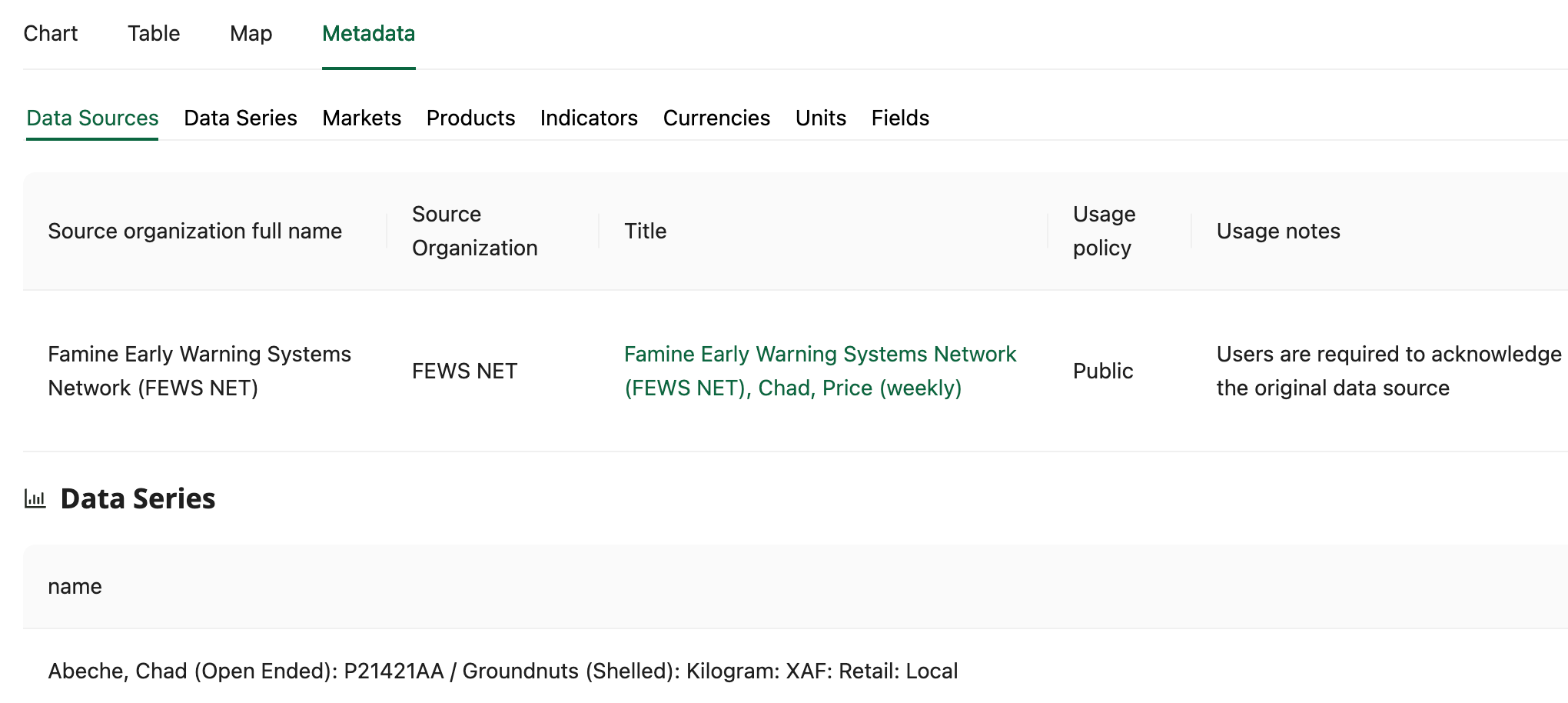
The Data Platform uses the following Data Usage Policies:
-
Public: The source data may be made available for analysis by anyone.
-
FEWS NET Only: The source data may only be analyzed by FEWS NET staff. The results of the analysis may be published.
-
Early Warning Analysis Only: For Early Warning Analysis only.
-
Restricted: The source data will only be visible to Users that have been specifically granted permission to use it (or who are Superusers).
-
This Data Usage Policy is only used in rare cases where customized, restricted access to the data is warranted.
-
Exercise caution when downloading, storing, and sharing non-public data.
How to view Data Usage Policies
Data Sources
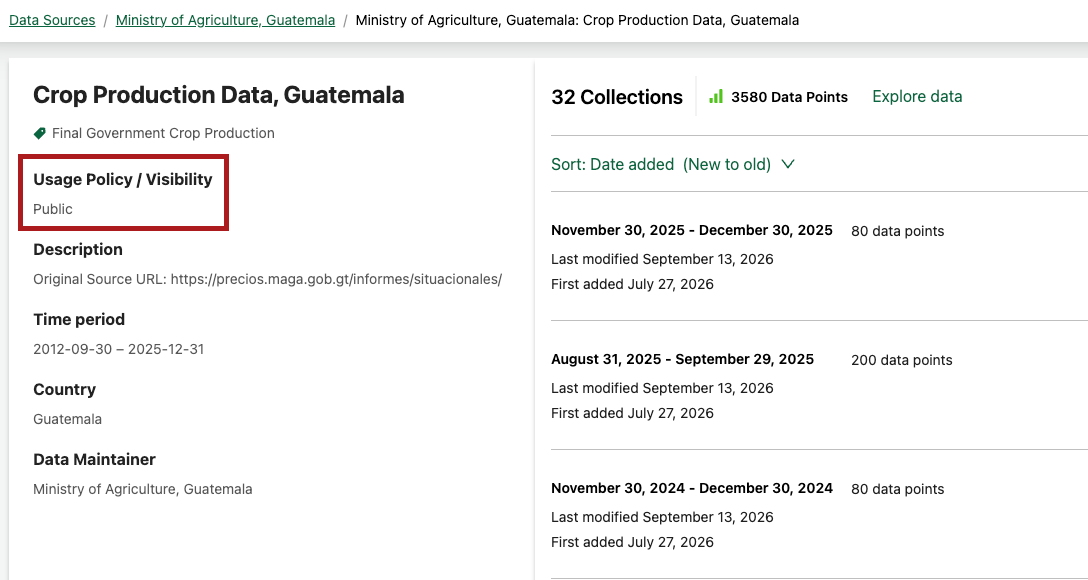
In the Data Sources section, you can open a Data Source detail page and view the Usage Policy in the left hand side column.
Explore data
In the Explore data section, you can view the Data Usage Policy from the Data Series table, Metadata tab, and Usage Requirements drawer.
You can also check the data_usage_policy column in data extracts.
Data Series table
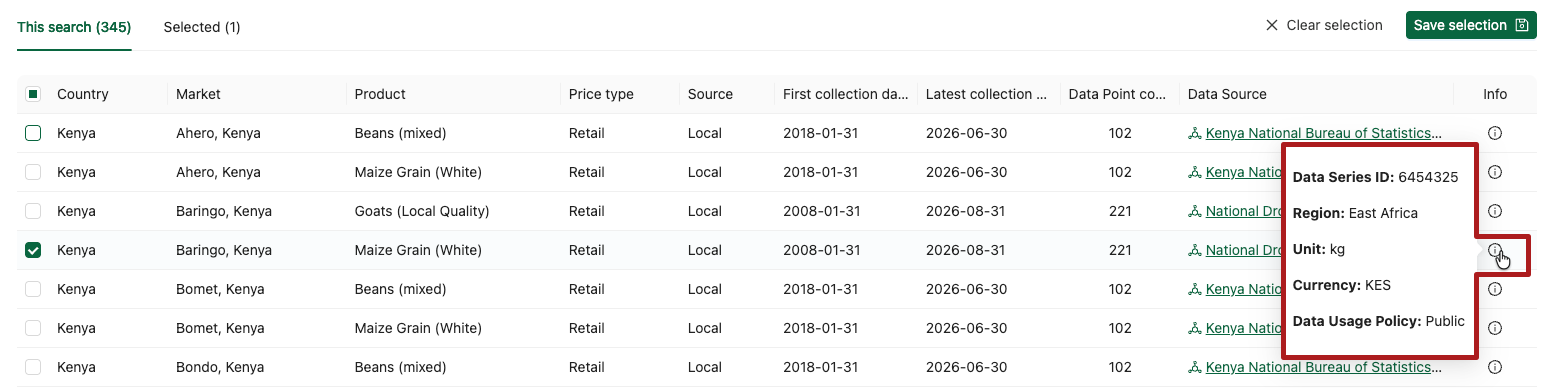
Depending on the Topic, the Data Series table may include a data_usage_policy column, or you can view the Data Usage Policy by hovering on the Info icon.
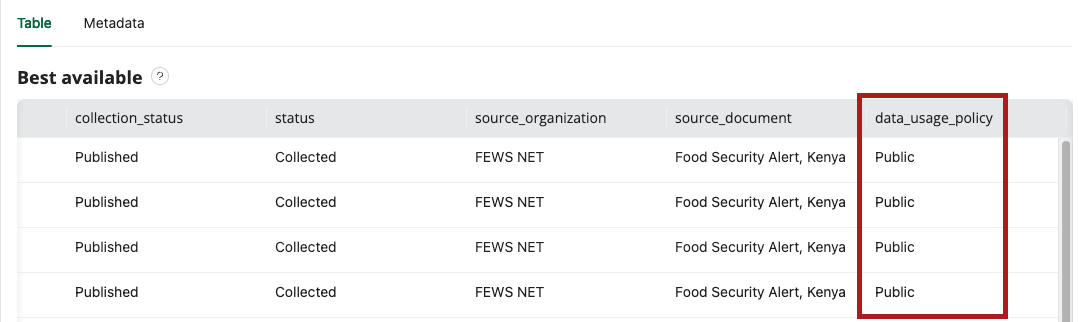
data_usage_policy column in the Data Series table.
Metadata tab and Usage Requirements drawer
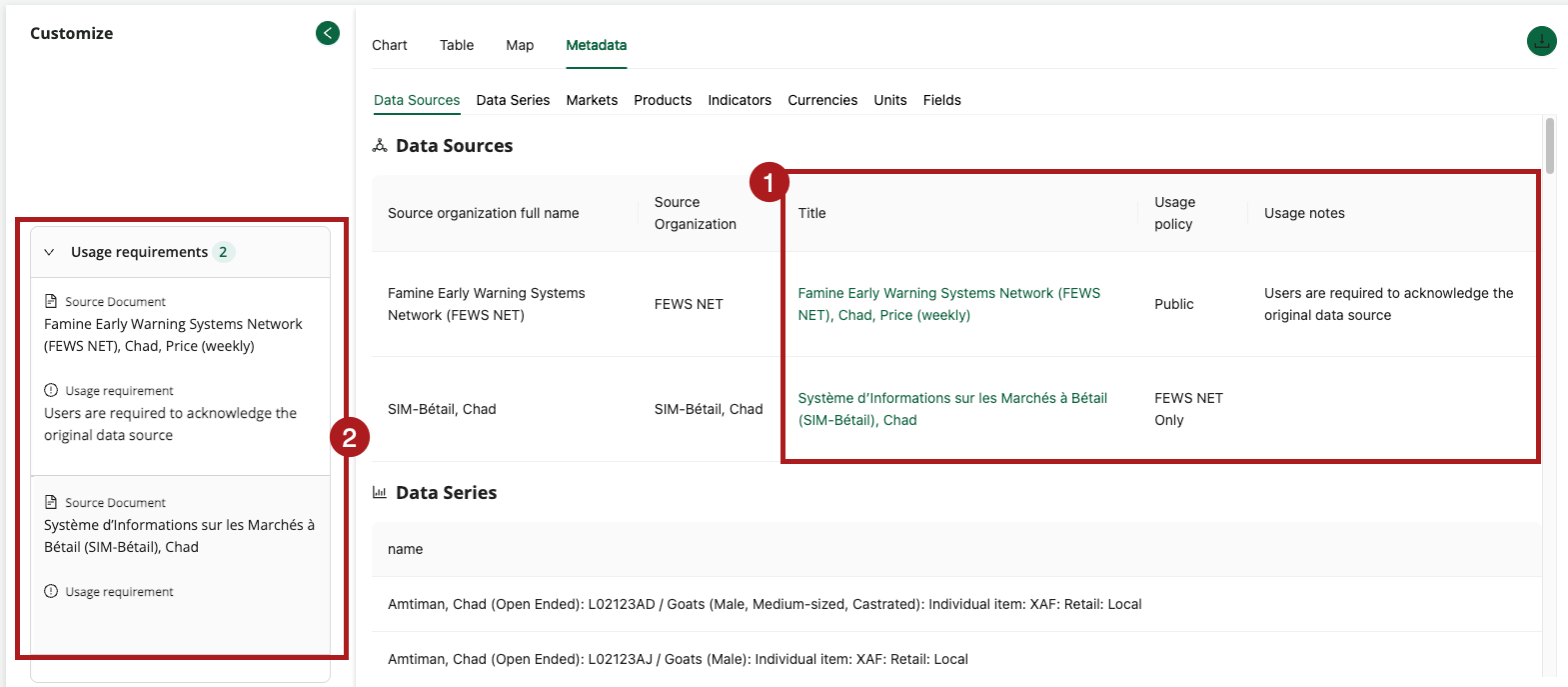
Usage Policies for your selected data are shown in the Metadata tab as well as the Usage requirements drawer.
-
The Metadata tab lists the Usage Policy and Usage notes for each Source Document.
-
Topic pages that include a Customize sidebar will also display the Usage Policy and Usage notes under the Usage requirements drawer.
Accessing and sharing links
Links will only display data that you have permissions for. This includes FDE deep links, API links, and Visualization links.
The data that is returned is determined based on the logged-in user, meaning the same URL can return different data for different users. For example, an API link may return multiple Data Series to an authenticated user with permission to view Early Warning Analysis Only data, but none to a user with public permissions if no public data matches the request.
FDE deep links
FDE deep links provide direct pathways to specific data based on your filters and search criteria. For example, the deep link https://fdw.fews.net/data-explorer/price?market=KE&cpcv2=R0112 filters for maize prices in Kenya. When accessing a deep link, you will only be able to see the topics and data that you have permissions for. Watch the how to video on deep links for more details.
API links
Requests to the FEWS NET API without any authentication may succeed but will only return public data. FEWS NET staff and partners who have access to the FEWS NET Data Warehouse (FDW) can use authentication to retrieve data they have permissions for from the API.
If you do not authenticate or lack permission to the data in FDW:
-
You may receive the error “no data found” when you query data that has restricted permissions.
-
Not all expected data may be included in the response.
Learn more about API authentication.
Visualization links
Visualization links can be shared by selecting the Copy link to Visualization button. Any data that is not publicly available will only be visible for logged in users who have permission to view it.
You can check the public view of an API or Visualization link by opening it in an incognito window or browser where you are not logged in.
Request additional access
To request access to non-public data, submit a Help Desk form with information about the purpose of your analysis, why you need access specifically to this data, and your organizational affiliation. Your request will be reviewed internally to determine if additional permissions can be granted. Note that much of the data in the FEWS NET Data Warehouse is provided by third parties. Access to this data is subject to the licenses and conditions established by the original source organization.